
🕒 5 minute read
Application - Redirect URIs
Every application in the Trust Framework must have a configured RedirectURI. This RedirectURI is a specific, web address controlled by your application. It acts as the callback destination where the LFI sends the user after they complete authentication and authorizing the consent.
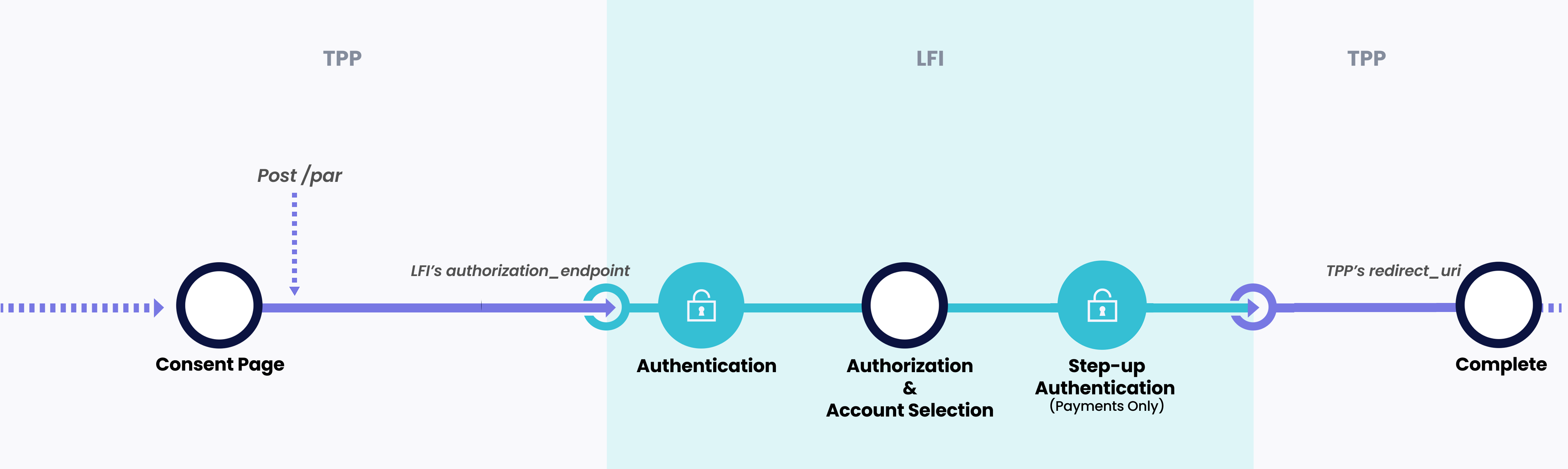
The following guide outlines how your RedirectURI can meet FAPI 2.0 requirements while still enabling deep linking into a mobile app.
FAPI 2.0, does not allow non-HTTPS redirect URIs. Therefore, you will not be able to use a custom URL scheme (e.g., myapp://home).
To remain compliant with FAPI 2.0 and still support deep linking into your application, follow these steps:
1. Set Up an HTTPS-based Universal/App Link
You’ll need to make your app respond to a secure URL like:
https://yourapp.com/callback?code=fbe03604-baf2-4220-b7dd-05b14de19e5c&state=d2fe5e2c-77cd-4788-b0ef-7cf0fc8a3e54&iss=https://auth1.altareq1.sandbox.apihub.openfinance.aeFor how to validate the callback (state, iss, single‑use code, replay protection), see Handling Authorization Callbacks.
2. Handle the Redirect in Your App
Once the user is redirected to the HTTPS URL:
- If your app is installed, it should open and process the URL (e.g., extract the authorization code).
- If your app is not installed, it should fall back to an appropriate web page to either complete the user journey on web or to encourage the user to install the app.
By adopting this approach, you can continue supporting deep linking while ensuring compliance with the security standards required by FAPI 2.0.